Home
 
Boxed products are now sold from our new US-Shop Aerosoft USA, Inc. with shipping costs from US$ 6.99
<< Go back   

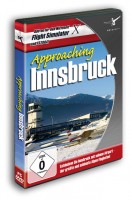
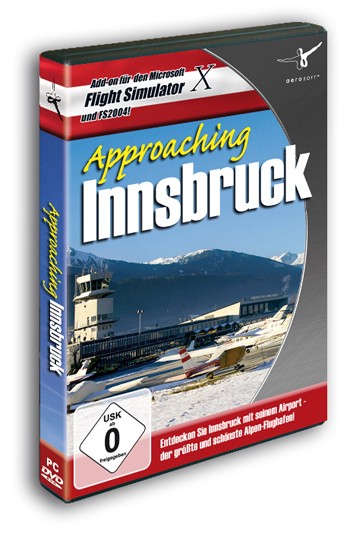
Approaching Innsbruck (FS2004 only)


Experience Innsbruck airport, one of the most challenging airports in Europe. Every building is recreated with great attention to detail and realism and is placed on high definition areal images in the great Alpine landscape.

Innsbruck Kranebitten Airport (LOWI) is the main airport of Western Austria. In the winter months it is particularly busy because of the many tourists that come for the ski slopes of the region. As the airport is located in a deep valley the approaches and departures are far from standard and many of the procedures can only be flown by pilots who got authorisation of the federal office of civil aviation. Challenging in good weather conditions, potentially lethal in the less then ideal condition.

Features:

  • Detailed representation of the airports placed on high resolution areal images
  • Includes scenery on the approach and departure routes
  • Seasonal and night textures
  • Dynamic vehicle traffic on the airport (and surrounding) based on AESLite
  • Fully compatible with all AI traffic add-ons
  • AFCAD file that incorporates the non standard procedures
  • All navigation aids includes
  • Fully compatible with AES (from version 2.02)
  • Fully compatible with Austria Professional 2004 and Ultimate Terrain Europe
  • Animated Lead in Lights (rwy 26), Airport T and windsocks
  • Includes LOJO heliport on the hospital
  • Buyers will be offered a low cost version (download only) of Austria Professional 2004
  • Free download for the upcoming FSX version included


Additional specifications:
Download-Version ( FSX / FS2004) : Version 1.00, Manual as a .pdf-File (German, English)

Both the FSX and FS2004 version of Approaching Innsbruck will be available in a box soon (=> Pre-order the box here ). If you purchase the download version for FS2004 you will be offered the upcoming FSX version as a free download on your order history page.


Awards/Reviews:

2. place in the category "SCENERY: MAJOR AIRPORT" , simFlight Awards 2009

Click here to view all results!

Conclusion by Avsim.de:
"I enjoyed all the moments testing this product and I use LOWI as a regular destination in daily simulation. This scenery, however, is very special for me in comparison with other sceneries, like the huge (using Aerosoft phraseology) mega-airports. I enjoyed flying to Innsbruck even with default scenery. I use the new Aerosoft scenery not because of the high-quality terminal buildings, jetways etc. but because of the rise in adrenaline as I descend down to the clouds approaching Innsbruck."

Click here to read the complete review! Closing remarks from avsim.com:
"I enjoyed all the moments testing this product and I use LOWI as a regular destination in daily simulation. This scenery, however, is very special for me in comparison with other sceneries, like the huge (using Aerosoft phraseology) mega-airports. I enjoyed flying to Innsbruck even with default scenery. I use the new Aerosoft scenery not because of the high-quality terminal buildings, jetways etc. but because of the rise in adrenaline as I descend down to the clouds approaching Innsbruck."

Click here to read the complete review!


System requirements:
Microsoft Flight Simulator 2004 (Version 9.1)
Windows XP / Vista
Pentium 2,6 GHz or faster
1 GB RAM (2 GB advised)
3D graphics card with at least 256 MB (512 MB advised)
Download-Size: 180 MB
Installations-Size: 560 MB


How to purchase and install Download-Versions?:

  • Buying is simple, just add it to your cart ( press the green buy button ) and do all the handling of payment (Credit Card and PayPal accepted) . Keep in mind that if you are located outside the EEC you do not pay VAT
  • On the screen where you see that the payment has been done you will find a download link, download AND SAVE this file to a secure location
  • While you are doing this, an email is being send to you with the serial code
  • You can always find your code in the shop under Your Account - Your Order Details - Downloads
  • During the installation you will be asked to enter your shop login name (email) and for this serial code


Top of page