Precio incl. 21% IVA legal más gastos de envío
Listo para envío inmediato, tiempo de entrega aprox. 1-3 días **
- N.º artículo: AS16694
- Fabricante: Desktop Pilot
- EAN: 721688437628
-
View legal guarantee

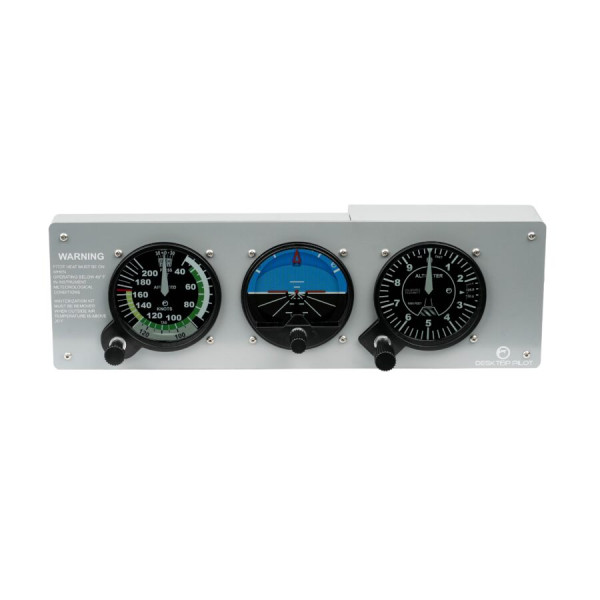
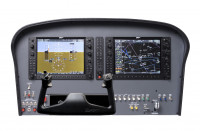
Bring essential flight data to life with the Desktop Pilot - Multi Instrument Panel, a high-fidelity replica of the Cessna 172 Skyhawk instrument cluster. Featuring analog-style Airspeed, Attitude, and Altimeter gauges with interactive rotary encoders, this panel delivers real-time simulator feedback and hands-on realism. Switch between graphical and digital display modes, adjust brightness, and enjoy seamless integration with X-Plane 11/12 and MSFS 2020/2024 on Windows PCs. Ideal for enhancing both desktop setups and full-scale sim cockpits. Whether you’re a hobbyist or a serious aviator, it’s the perfect addition to your setup.
The Multi Instrument Panel from Desktop Pilot is the ultimate upgrade for flight sim enthusiasts seeking a realistic, interactive cockpit experience. This high-quality instrument panel brings essential flight data to life with stunning clarity, offering everything you need for a true-to-life virtual flying experience.
Skyhawk-Inspired Instrumentation
Accurately modeled after the Cessna 172 Skyhawk, the panel recreates its essential gauges and flight data presentation using custom graphics via SkyView software.
Included Analog Instruments
- Airspeed Indicator – Displays indicated and true airspeed (KTAS) in knots
- Attitude Indicator – Shows pitch and roll, aiding in aircraft orientation
- Altimeter – Indicates current altitude with adjustable barometric settings
Rotary Encoders & Interactive Controls
- KTAS Encoder – Adjusts Knots True Airspeed dynamically based on conditions
- Flight Director Encoder – Aligns the indicator “hoop” within the Attitude Indicator for precision path tracking
- Barometric Pressure Encoder – Adjusts the altimeter to current atmospheric pressure
Additional Functionalities
- Press Airspeed Encoder → Battery Reset (X-Plane Exclusive)
- Press Altimeter Encoder → Resets pressure to standard 29.92 inHg
- Press Attitude Encoder → Toggle between Graphical Mode and Textual Mode
Adjustable Instrument Brightness
Using the STBY IND potentiometer on the optional Desktop Pilot Switch Panel (sold separately), you can easily fine-tune the brightness of analog instruments – ensuring perfect visibility in all lighting conditions.
Two Display Modes
- Graphical Mode (Default) – Displays traditional analog-style instruments
- Textual Mode – Shows flight data as digital numerical readouts for increased readability or accessibility
EASY SETUP & INSTALLATION
- Mount the Panel
Secure the Multi Instrument Panel to your desktop or seamlessly integrate it into your cockpit using the included mounting hardware. - Connect via USB
Plug the panel directly into a USB port on your Windows-based PC or an external USB hub - Install Software
Download and install the included SkyView and SkySync software from Desktop Pilot. - Launch your simulator
Start X-Plane or Microsoft Flight Simulator – the panel automatically syncs and is ready to fly.
COMPATIBILITY
The Multi Instrument Panel is designed for seamless integration with a wide range of popular flight simulation platforms when connected to a Windows-based PC. Supported software includes:
- X-Plane 11 & 12
- Microsoft Flight Simulator 2020 & 2024
The panel operates using Desktop Pilot’s SkyView and SkySync software, both of which are included with your purchase.
FABRICANTE
Desktop Pilot Inc.
1639 Bradley Park Dr Ste 500, Columbus, GA 31904, USA
support@desktoppilot.com
PERSONA RESPONSABLE EN LA UE
Aerosoft GmbH
Lindberghring 12, 33142 Büren, Germany
info@aerosoft.com